
Statistics and metrics
The node counts public traffic and shows it in the panel's Overview; the same counters are available in Prometheus format.
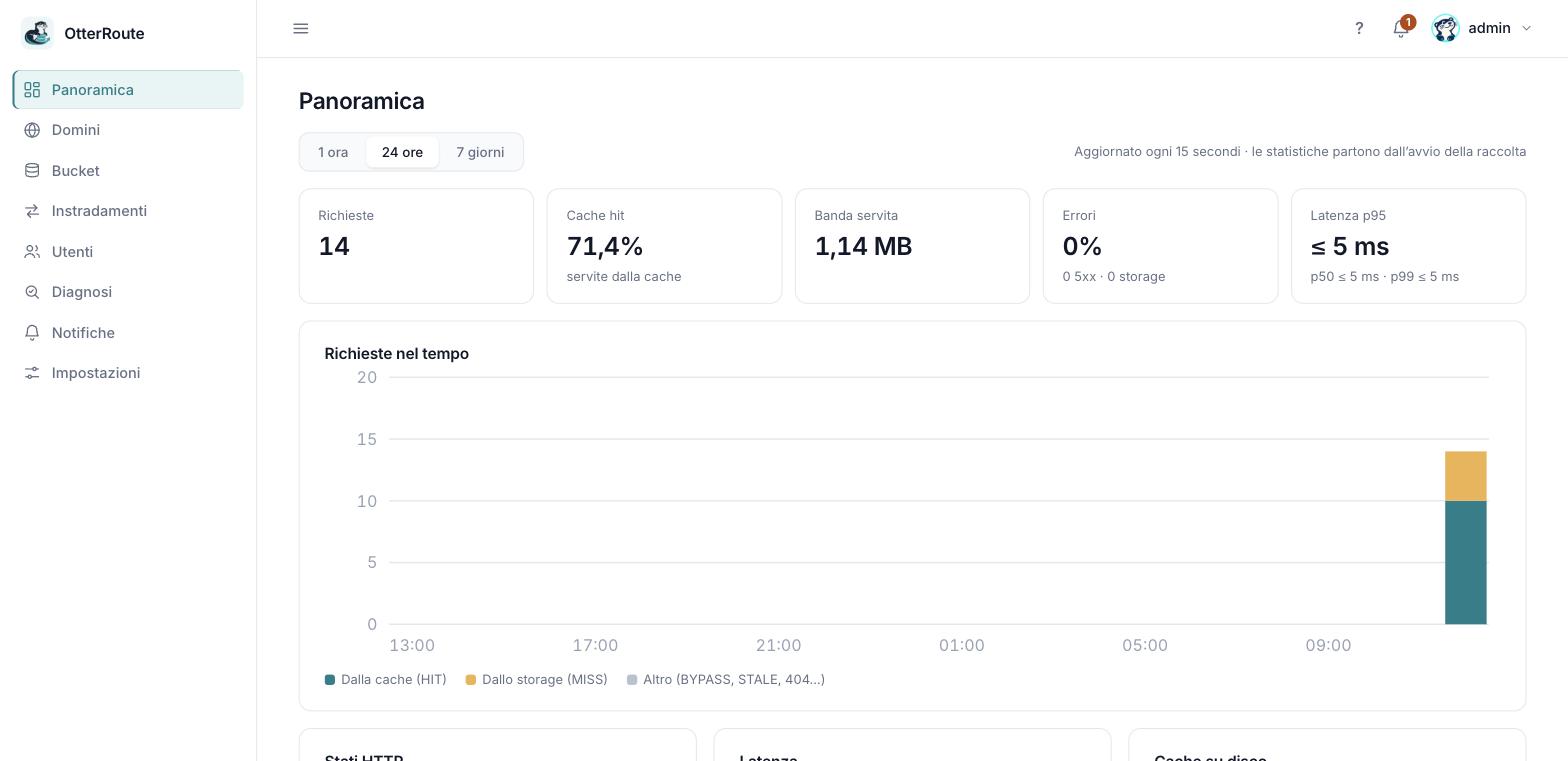
The Overview: requests, cache hits, bandwidth, errors and latency · 26/09/2026
What is measured
For every public request:
- Requests, by cache outcome (
HIT,MISS,STALE,REVALIDATED,BYPASS) and by status class (2xx, 3xx, 4xx, 5xx). - Bytes sent, counted on the body actually sent (not on
Content-Length). - Latency up to the response, in a histogram with bands from 5 ms to over 2.5 s, from which p50, p95 and p99 are derived.
- Storage errors, per bucket.
- Attribution to route and to file; requests with no rule go under "unrouted".
Domain checks made by the panel and requests to the panel port do not count as traffic.
The dashboard
In the Overview choose the period (1 hour, 24 hours, 7 days); the page refreshes every 15 seconds.
| Element | What it shows |
|---|---|
| Requests | Total in the period. |
| Cache hit | Share served from cache: HIT + STALE + REVALIDATED against MISS + BYPASS. 404s and errors have no cache outcome and are left out of the calculation. |
| Bandwidth served | Bytes sent. |
| Errors | Percentage of 5xx responses, with the detail of storage errors. |
| Latency p95 | 95% of requests are faster than this value (with p50 and p99). The value is the upper bound of the histogram band. |
| Chart | Requests over time: from cache, from storage, other. |
| HTTP statuses, latency, disk cache | Distribution by class, histogram, space usage. |
| By route / Most requested files | Sortable tables. |
Whoever lacks the metrics:read scope does not see this part.
How they are stored
Statistics live in memory and are saved to disk every minute in metrics.json in the state folder: they survive restarts. The 1-hour series have one-minute resolution, the 24-hour and 7-day ones one-hour resolution. The file ranking goes from the start of collection and is not filtered by period. Statistics start from when the node collects them: there is no retroactive history.
Prometheus
On the panel port, GET /metrics exposes the counters in text format, without login (like /healthz): for this reason port 9090 must stay accessible only locally.
# prometheus.yml
scrape_configs:
  - job_name: otterroute
    static_configs:
      - targets: ["127.0.0.1:9090"]
The metrics are listed in Prometheus metrics. Some useful queries:
# requests per second, by route
sum by (route) (rate(otterroute_requests_total[5m]))

# share served from cache
sum(rate(otterroute_requests_total{cache=~"HIT|STALE|REVALIDATED"}[5m]))
/
sum(rate(otterroute_requests_total{cache=~"HIT|STALE|REVALIDATED|MISS|BYPASS"}[5m]))

# p95 latency
histogram_quantile(0.95, sum by (le) (rate(otterroute_request_duration_seconds_bucket[5m])))

# storage errors
sum by (route, storage) (rate(otterroute_upstream_errors_total[5m]))

# cache more than 90% full
otterroute_cache_bytes / otterroute_cache_max_bytes > 0.9
Limits
- Latency is the time to the response, not to the last byte of a long download.
- The exporter is in the node: if the node is off there is nothing to read. Also monitor
/healthzfrom outside.