
Cache
Every requested file is kept on disk. Later requests are served from disk without touching the storage.
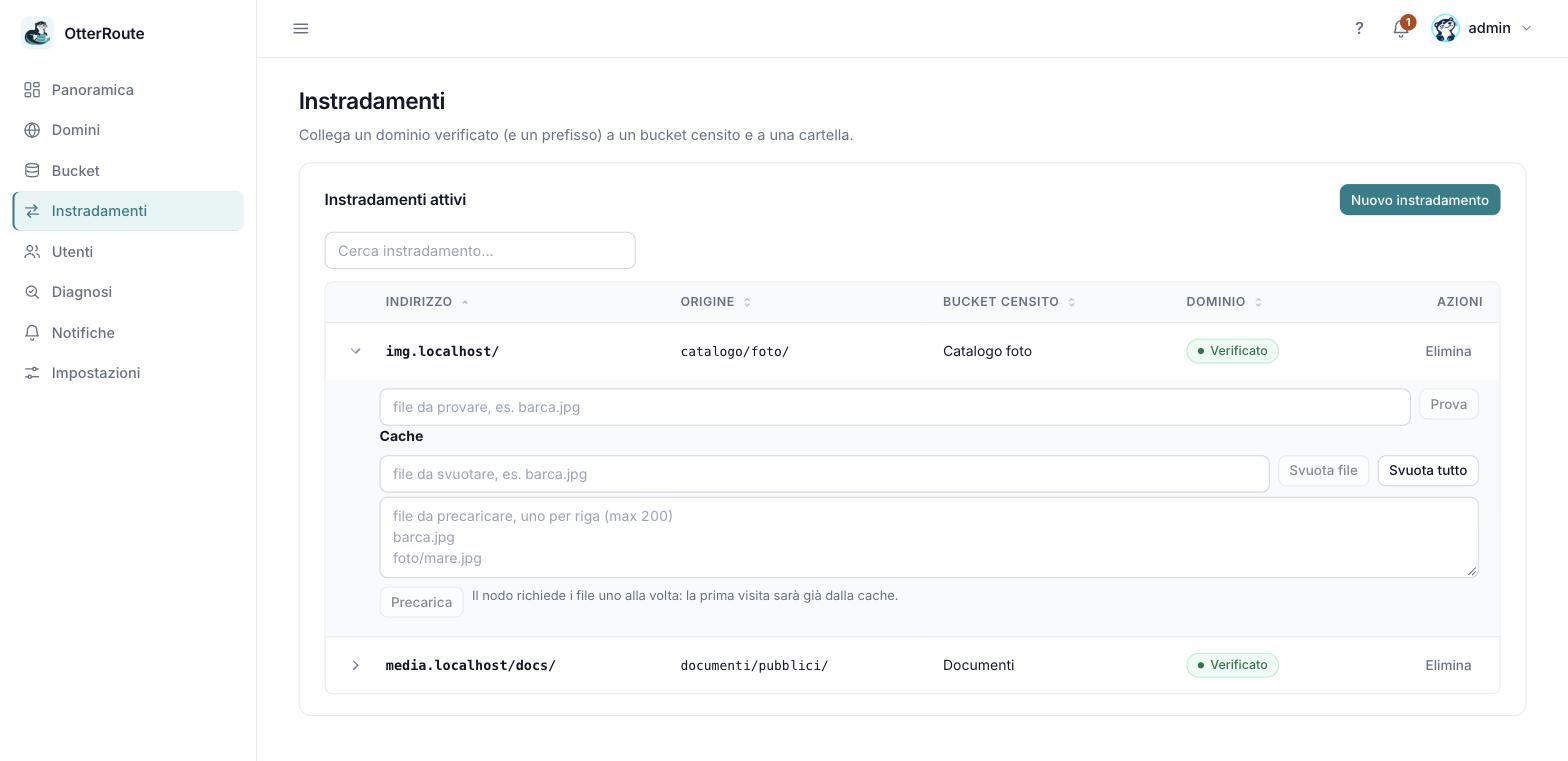
The “Cache” section of a route's row: purge and warm · 26/09/2026
What X-Cache says
| Value | Meaning |
|---|---|
HIT | Served from a fresh copy in cache. |
MISS | Not in cache: downloaded from the storage and saved while being sent. |
REVALIDATED | Expired copy, but the storage confirmed (304) it is still valid. |
STALE | Expired copy served because the storage does not answer (see below). |
BYPASS | Passed to the storage without using or filling the cache (HEAD or Range requests with no cached copy, files that are too large). |
| (absent) | Response with no cache outcome: 404s generated by the gateway, errors. |
The cache policy
The panel uses a standard policy:
| Parameter | Value | What it does |
|---|---|---|
ttl | 1 hour | How long a copy is fresh. Then it is revalidated with the storage. |
ttl_not_found | 60 seconds | Briefly remembers that a file is missing (negative cache), so a repeated typo does not hammer the storage. |
serve_stale_on_error | 24 hours | If the storage does not answer, an expired copy can be served up to this limit (STALE). |
query_keys | none | No query parameter counts: ?v=2 and ?v=3 are the same thing. |
To change these values, edit the configuration by hand (see config.yaml); the panel does not expose them yet.
Useful behavior to know
- One request per object. With many visitors on the same file not yet in cache, only one goes to the storage; the others wait up to 5 seconds and then, if needed, go to the storage too without cache.
- Streaming. Files are not loaded in RAM. If the visitor disconnects the download continues to complete the cache.
- Space limit (LRU). Above
OTR_CACHE_MAX_BYTES(default 10 GiB) the least used copies are removed. - Large files. Above
OTR_CACHE_MAX_OBJECT_BYTES(default 1 GiB) the file goes to the storage without cache. - Isolation. The cache is separate per route: the same file served by two domains has two copies.
- HTTP headers.
ETag,If-None-Match,If-Modified-Since,Range,If-Rangeare handled; the storage'sx-amz-*headers never reach the visitor. - Errors. A storage
403 AccessDeniedfor a missing file becomes404; wrong credentials give502and are never cached.
Emptying and warming from the panel
From Routes, expand a route's row: in the Cache section you find three actions (the routes:write scope is required).
| Action | What it does |
|---|---|
| Purge file | Deletes the copy of a single file (type its name, e.g. boat.jpg): the next request reads it again from the storage. It tells you whether the file was in cache. |
| Purge all | Empties the route's cache with one click and a confirmation. Nothing is deleted from disk: it increases the route's cache_generation, so old copies become unreachable and the LRU removes them. |
| Warm | List up to 200 files, one per line: the node requests them by itself, one at a time, so the first visit is already a HIT. For each file you see status, X-Cache, bytes and time. Warming stops after 2 minutes; remaining files are reported as not run. |
If the route has images on the fly, Purge file removes only the original: variants expire by themselves or are removed with Purge all. Purging does not delete the file from the storage nor from any caches in front of the node (CDN, browser): those have their own timing.
In a hand-written configuration the same effect is obtained by increasing a destination's cache_generation.
Known limits
HEADandRangewithout a cached copy go to the storage without filling it: the first access to a "chunked" video does not cache it.- There is no automatic
index.htmlfor folders. - Warming downloads each file in full: with very large files (up to
OTR_CACHE_MAX_OBJECT_BYTES) it can take time.